Renders two different sets of fog colors according to distance from the camera, and by height in world space.
Note: this effect is best used in the After Rendering Opaques pass event, as it relies on the depth texture, and transparent objects would disappear if used in the Before Rendering Post Processing or After Rendering Post Processing event.
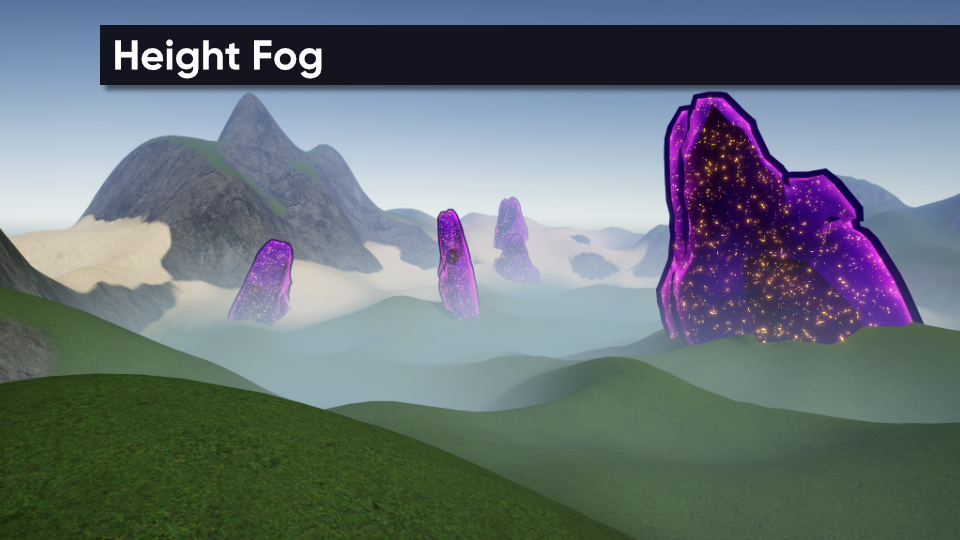
Also, you may wish to turn off Unity’s default fog when using this effect.
Parameters
- Strength - How strongly the fog color should be mixed with the original pixel color.
- Start Distance - Distance from the camera at which distance fog starts appearing.
- Distance Start Color - Color of the distance fog at the start distance.
- End Distance - Distance from the camera at which distance fog is at full strength.
- Distance End Color - Color of the distance fog at the end distance and beyond.
- Distance Falloff - Controls the color curve between start and end distances.
- Start Height - Height in world space at which height fog starts appearing.
- Height Start Color - Color of the height fog at the start height.
- End Height - Height in world space at which height fog is at full strength.
- Height End Color - Color of the height fog at the end height and below.
- Height Falloff - Controls the color curve between start and end height values.