Creates fake “gradients” by using a series of differently-sized dots. It’s used in some kinds of printing technology, but you might recognise it from comics in particular.
Note: an external texture must be attached to the Halftone Texture field for this effect to work properly. An example is provided in Resources/Textures/HalftoneCircle.
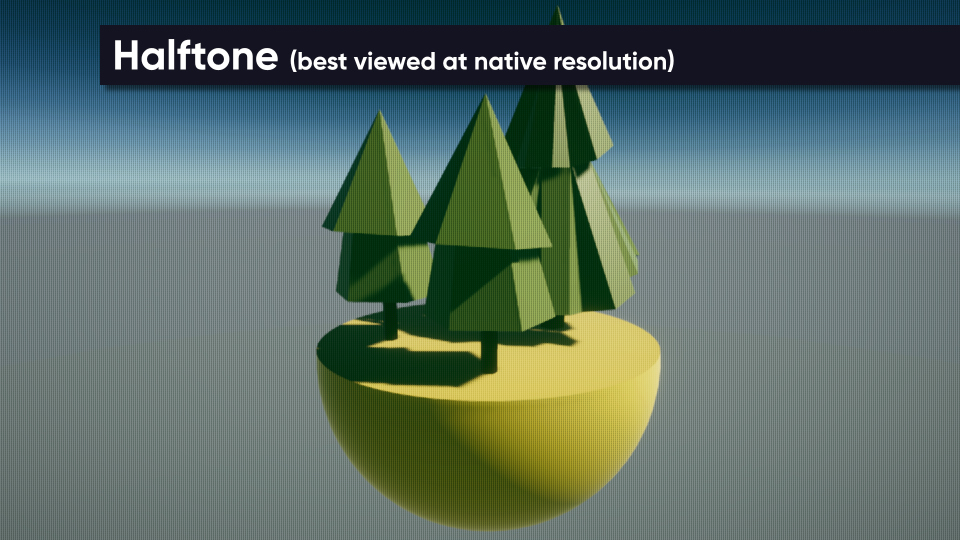
Parameters
- Halftone Texture - Texture to use for the halftone effect. This texture encodes a gradient which is used to determine the shape of the halftone ‘dots’.
- Softness - How soft the transition between shaded dots and lighter parts is. A lower value means a harder cutoff.
- Texture Size - How large the halftone dots appear on-screen. A larger value means the dots appear larger.
- Min Max Luminance - Use this option to remap the luminance values of the original image. For example, setting a value of (0.5, 1) means that all pixels with a luminance below 0.5 are set to 0, then the rest are stretched so that they fit the range (0, 1). Then the halftone is applied.
- Dark Color - Color to use for the halftone dots.
- Light Color - Color to use outside the halftone dots.
- Use Scene Color - If this is ticked, the Light Color is ignored and the original scene colors are used for parts outside the halftone dots.