The Dithering effect takes the luminance of each pixel and compares it to a texture containing thresholds to color pixels light or dark, resulting in a one-bit effect. The 3D version of this effect applies the threshold texture in world space using triplanar mapping.
This effect requires the Noise Texture to be set in order to work properly.
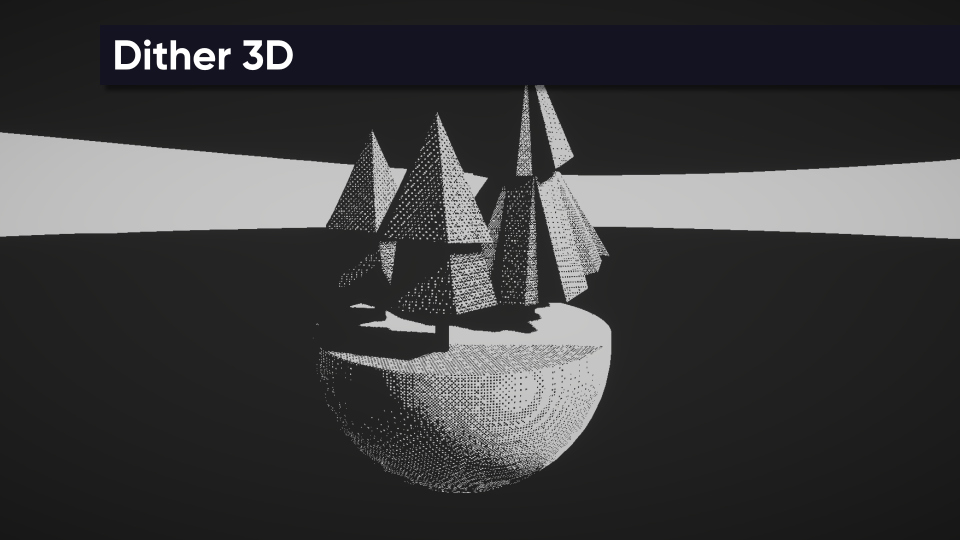
Parameters
- Enabled - Is the effect active?
- Noise Texture - The texture to use for the dithering thresholds. This texture is mapped in 3D space to objects using triplanar mapping.
- Noise Size - How large the noise texture is when applied to objects.
- Threshold Offset - The value to use as the comparison point between light and dark pixels. This is added to values from the Noise Texture.
- Blend Amount - How much blending to apply between the three triplanar-mapped noise textures.
- Dark Color - Color to use for pixels that fall beneath the dithering threshold.
- Light Color - Color to use for pixels that go above the dithering threshold.