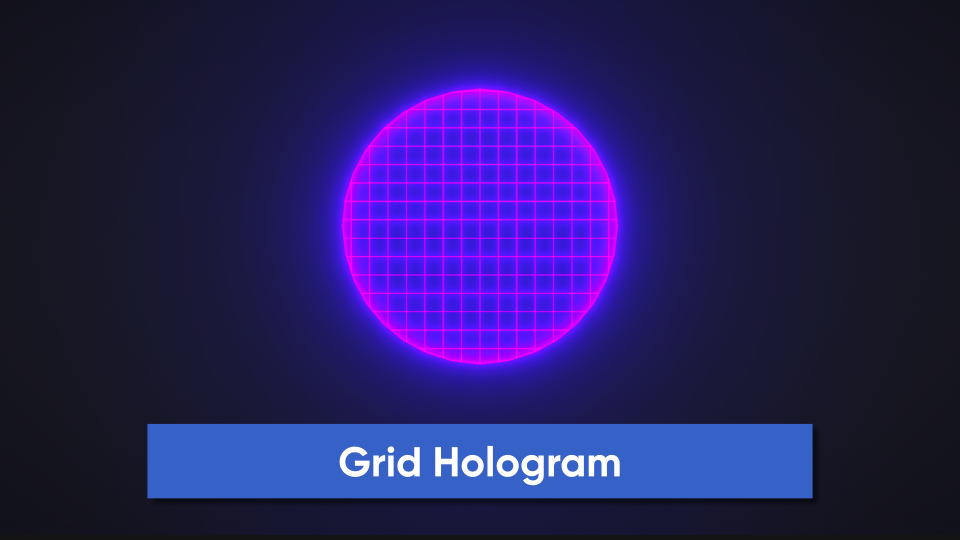
The Grid hologram overlays a solid grid of colors onto the hologram in world space.
Properties
Basic PBR Properties
These properties control the basic interactions between Unity’s lighting and the object. Includes the crucial emissive color settings that control the appearance of the holograms.
- Output Mode - Controls whether the shader outputs color to Base Color, Emission, or both.
- Base Color - Controls the color of the object.
- Base Texture - Also controls the color of the object. This is multiplied by Base Color.
- Normal Texture - Used to change the normal vectors on the surface, which influences lighting interactions. May not be noticeable due to the usage of bright emissive light.
- Normal Strength - A value between 0 and 1 which controls how strongly the Normal Texture impacts the surface normals.
- Alpha Clip Threshold - Any pixel with an output alpha value below this value is culled entirely.
- Metallic - A value of 0 means the lighting on the surface is like a non-metal (wood, paper, plastic). 1 means it is like metal
- Smoothness - A value of 0 means the object is completely rough. 1 means it is highly polished and smooth.
- Ambient Occlusion - A value of 0 means no ambient light reaches the object. 1 means the full ambient light reaches the object.
Grid
- Rotation Axis - The axis around which world space rotates.
- Rotation Radians - The amount of rotation around Rotation Axis, in radians.
- Per Axis Strength - The visibility of the gridlines along each axis. Set any one of these values to 0 to turn off gridlines along that axis.
- Grid Density - How closely-packed the gridlines are to each other.
- Line Thickness - How thick each gridline is in world space units.
- Line Falloff - How much falloff there is along the edge of a gridline before the gridline is completely gone.
- Grid Offset - An offset of the grid in world space along the three axes.
- Grid Velocity - The speed at which the grid scrolls along the three axes. Can be set to 0.
Fresnel
Fresnel adds light to the edge/rim of an object.
- Fresnel Power - The size of the Fresnel/rim. Higher values mean the rim is smaller, but this should be a value above 0.
- Fresnel Color - Color of the Fresnel/rim light. Can be different to the Base Color.
- Use Scene Intersections - Should the shader detect when a pixel is just in front of another scene object? Note: only able to detect opaque objects.
- Intersection Power - The size of the intersections. Larger values mean a thinner intersection glow.